Tour the vRO Interface
Before we get started in earnest it would be good to take a quick tour of the vRO client interface. Here are a few of the important screens you will encounter while working with this plug-in.
In the screen capture below you are seeing the Schema of the License Plugin workflow, which is a quite simple workflow. Specifically, the View Details of the Action “License Plugin”. You can explore the bindings of input and outputs to the actual APIs.
- Select the design from the pulldown
- Select the Schma Tab
- Expand Admin@vro.f5demo.com>>F5>>Basic
- Select License Plug in from the left panel
- Right click the mouse over the licensePlugin and select the small icon above and to the right
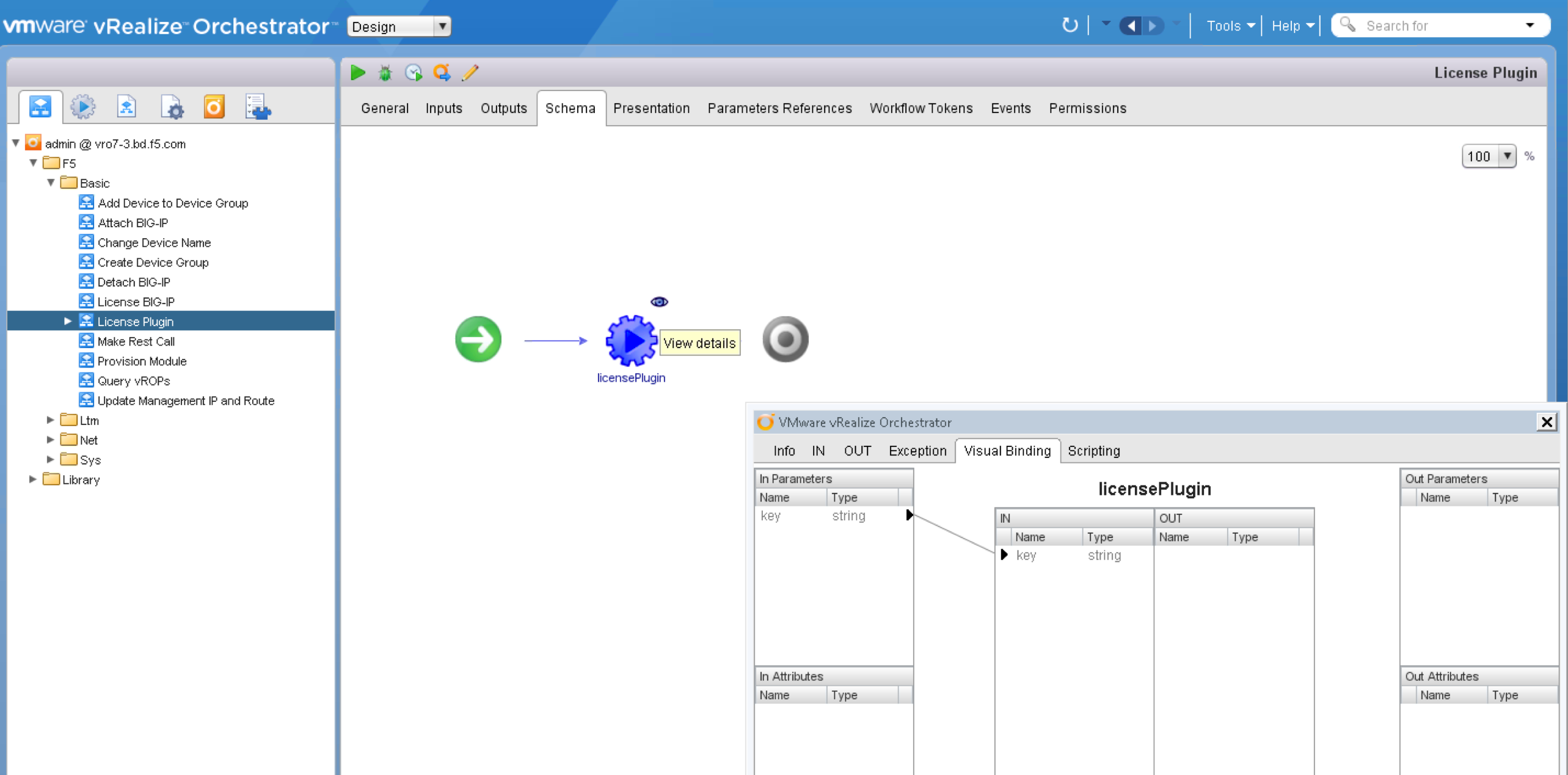
- Review the, Out and Scripting tabs on the new window In parameters mapped to the variables for this particular action.

- Use the pulldown to access the Administrator View
